When Reechee detects a negative review about one of your tracked competitors, you'll receive an alert. Here's everything you need to know about what you're getting and how to use it.
What Triggers an Alert?
An alert is created when:
A negative review appears about a competitor product you're tracking
The review mentions specific pain points (not just generic complaints)
We can identify the company behind the reviewer
You won't get alerts for purely positive reviews or reviews without actionable intelligence.
The Alert Email
You'll receive an email notification that looks like this:
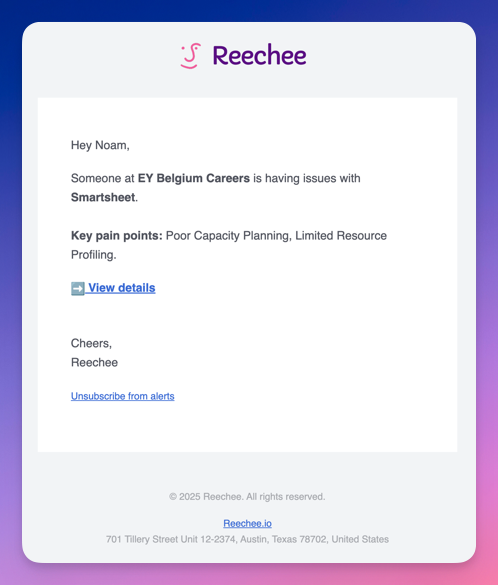
Here's what's included:
Company Name - The organization experiencing issues with your competitor
Competitor Product - Which product they're frustrated with
Key Pain Points - A brief summary of their specific frustrations
View Details Button - Takes you to the full intelligence on this opportunity
The email is designed to give you just enough information to decide if this is worth investigating further. If it looks promising, click "View details" to see the complete picture.
The Alert Detail Page
This is where the real intelligence lives:
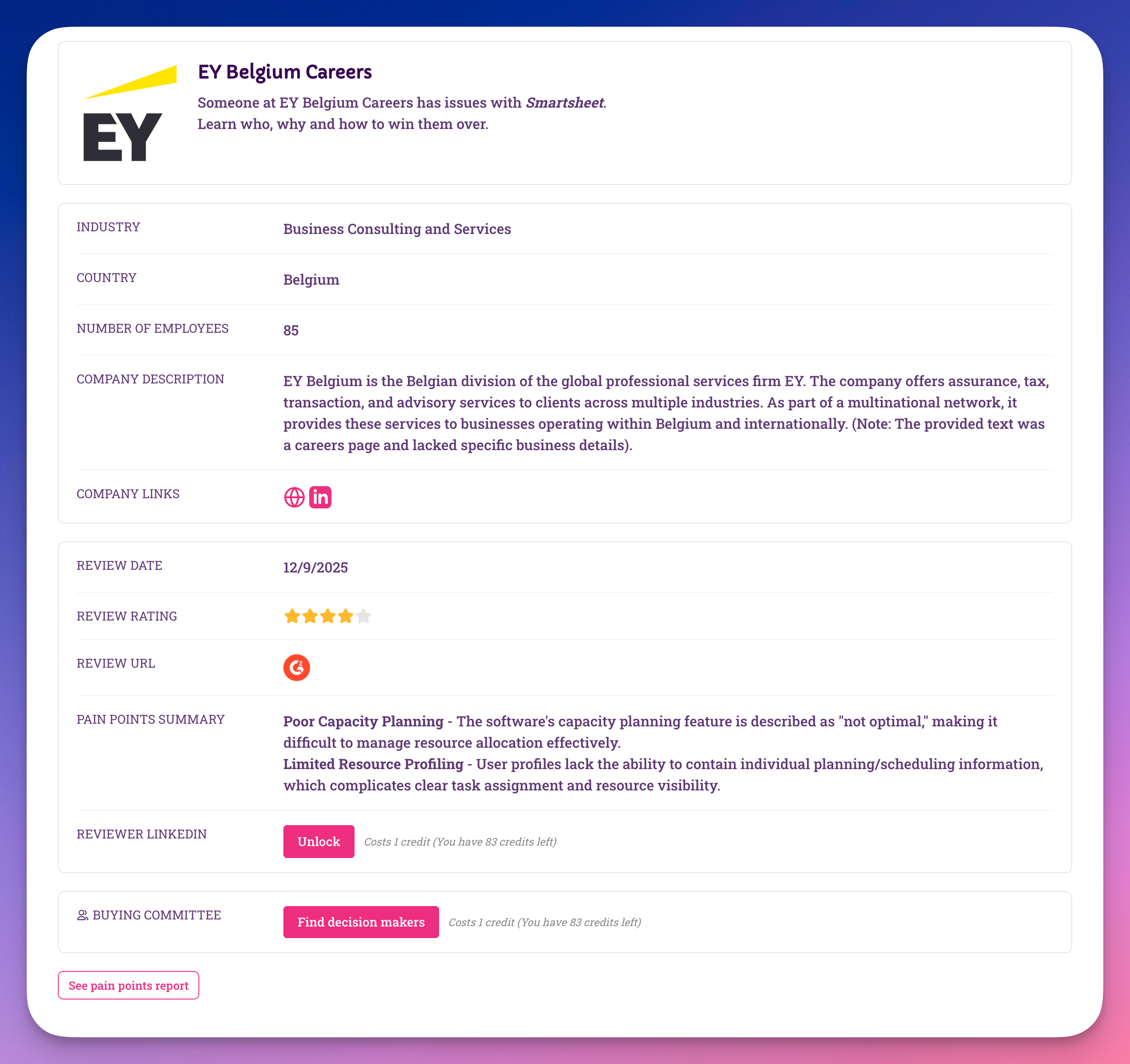
Company Intelligence
Basic Firmographics:
Company name and industry
Country/location
Employee count
Company description
Links to their website and LinkedIn
This helps you quickly qualify whether this company fits your ideal customer profile.
Review Information
Review Context:
Date the review was posted
Review rating (shows even if partially positive)
Platform where it appeared (G2, Capterra, TrustRadius, etc.)
Direct link to the original review
Pain Points Summary: Detailed breakdown of the specific issues mentioned in the review. These are the gold - the exact problems your competitor failed to solve.
Available Actions
Unlock Reviewer LinkedIn (Costs 1 credit)
Reveals the LinkedIn profile of the person who wrote the review. Useful when you want to:
Reach out directly to the frustrated user
Understand their role and influence in the organization
See if they're a champion-in-waiting
Find Decision Makers (Costs 1 credit)
Identifies 2-4 key decision-makers at the company beyond just the reviewer. This gives you:
Economic Buyer (budget authority)
Technical Buyer (evaluates solutions)
Additional stakeholders
LinkedIn profiles for multi-threading your outreach
Note: Credits are only charged if we successfully find decision-makers. If we can't identify additional stakeholders, you won't be charged.
See Pain Points Report
View aggregate patterns across all reviews for this competitor product. This helps you understand:
Recurring issues across multiple customers
Trends over time
The competitor's biggest weaknesses
How to Interpret Alerts
Good Fit Indicators:
Company size/industry matches your ICP
Pain points directly map to your product's strengths
Review is recent (within last 30-60 days)
Reviewer has influence (manager+ level)
Proceed with Caution:
Very old reviews (6+ months) - frustration may have been resolved
Very small companies if you target enterprise
Generic complaints without specific pain points
Industries outside your expertise
Common Questions
Why did I get an alert for a 4-star review?
We monitor for pain points, not just low ratings. Sometimes users give decent ratings while still expressing specific frustrations that create sales opportunities.
How quickly do I receive alerts?
Reviews are detected within 24 hours of being published on the platform. However, platforms themselves often have 1-7 day moderation periods, so there's always some lag between when someone submits a review and when you're notified.
Can I get too many alerts?
Alert volume varies by competitor and industry. Some tracked products generate 2-3 alerts monthly, others might generate several per week. You can always adjust your watchlist to focus on the highest-value competitors.
What if the company isn't a good fit?
Not every alert will be actionable - that's normal. Focus on the ones that match your ICP and have pain points your product solves. Over time, you'll get better at quickly identifying high-potential opportunities.
Next Steps
Once you've reviewed an alert:
Qualify the opportunity - Does this company fit your ICP?
Unlock intelligence - Use credits strategically on promising leads
Generate your pitch - Use our AI pitch generator to create personalized outreach
Take action - Reach out while their frustration is fresh
Remember: Reechee gives you the intelligence and timing advantage. What you do with it determines your success.