Available on Scale and Agency plans
The Teams feature lets multiple people from your organization share a Reechee account, working together to track competitors and convert their unhappy customers. Here's how it works and why it matters.
What Is the Teams Feature?
Teams allows you to invite colleagues to your Reechee account at no additional cost. Everyone shares the same competitor watchlist and credit pool while maintaining their own login and notification preferences.
Think of it like a shared workspace where sales, marketing, and product teams can all access the same competitive intelligence but use it in their own ways.
What's Shared, What's Not
Shared Resources
Competitor Watchlist
Everyone sees the same tracked competitors. When one team member adds or removes a product, it updates for the whole team.
Credit Pool
All team members draw from the same monthly credit allocation. Your Scale plan's 100 credits (or Agency's 500) are shared across everyone.
Unlocked Intelligence
When someone unlocks a LinkedIn profile, finds a buying committee, or generates a pitch for an alert, the entire team can access it. You only pay once.
Individual Settings
Login Credentials
Each team member has their own email/password. No shared logins.
Notification Preferences
Choose which alerts you want to receive. Just because someone else wants every notification doesn't mean you do.
Personal Dashboard
Your view of alerts and activity is yours. Filter and organize however works for you.
Why Teams Matter
Cost Efficiency
Instead of buying separate subscriptions for your SDR, marketing manager, and product lead, one Scale plan ($119/month) covers everyone. Unlimited users at no extra cost.
Unlock Once, Access Forever
When your sales rep unlocks a LinkedIn profile (1 credit), your marketing colleague can see it too. Same for buying committees and generated pitches. No duplicate spending.
Example:
Traditional approach: 3 people × 1 unlock each = 3 credits wasted
Teams approach: 1 unlock × whole team access = 1 credit used
Better Collaboration
Sales sees an alert about a frustrated customer
Marketing uses the same pain points to create targeted content
Product learns what features competitors are missing
Everyone works from the same intelligence but applies it differently.
How to Set Up Your Team
As the Team Owner
Step 1: Invite Team Members
Click on your account → Add teammates and enter your colleagues' email addresses. They'll receive an invitation to join.
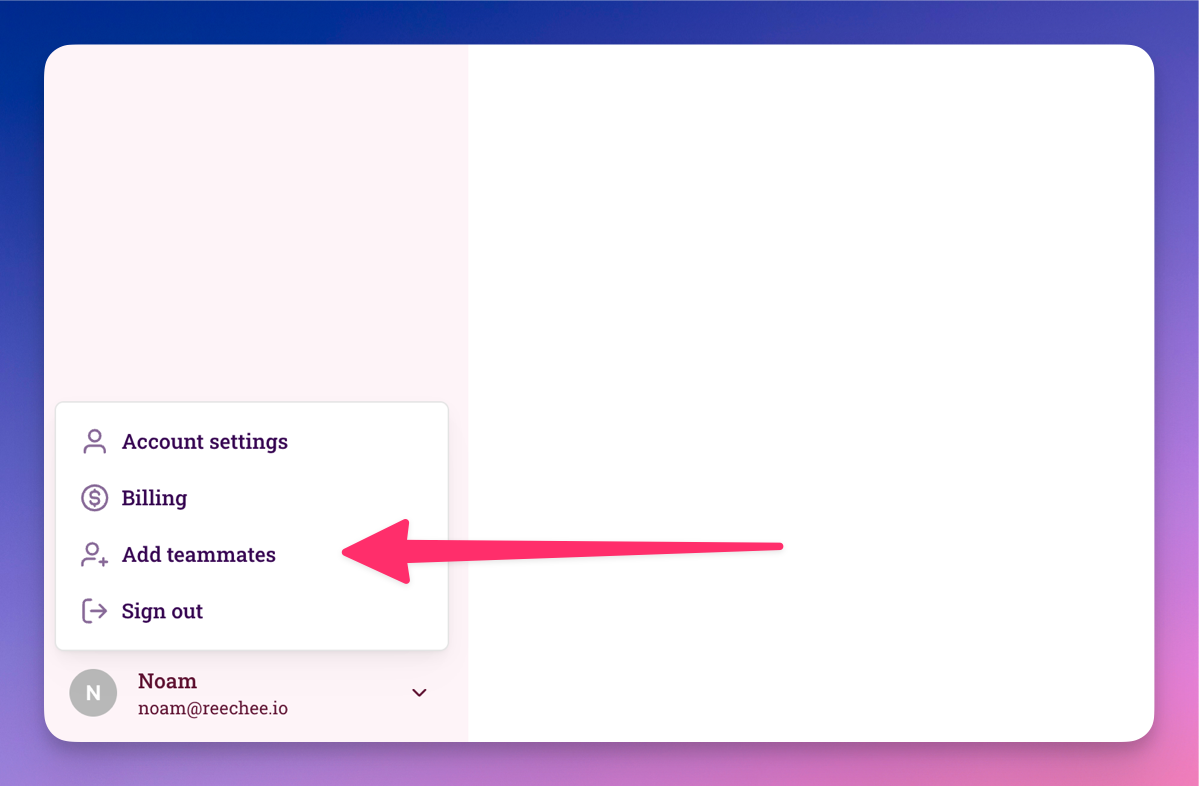
Step 2: They Accept & Sign Up
Team members click the invite link and create their own login credentials.
Step 3: Start Collaborating
Once they join, they immediately see your shared watchlist and can start accessing alerts.
As a Team Member
You'll receive an email invitation with a link. Click it, set up your account, and you're in. No credit card needed - you're joining an existing plan.
Managing Team Resources
Credit Visibility
Everyone can see the shared credit balance in the top navigation. It shows:
Credits remaining
When the next monthly allocation arrives
Pro tip: Have a quick team sync to decide which alerts are worth unlocking. Prevents credit waste on opportunities nobody plans to pursue.
Watchlist Coordination
Best Practice: Assign watchlist ownership
Example: Marketing tracks broad competitors, sales focuses on direct competitors in active deals, product monitors feature-specific tools.
Everyone sees all tracked products, but having clear ownership prevents duplicate efforts or confusion about why something's being tracked.